
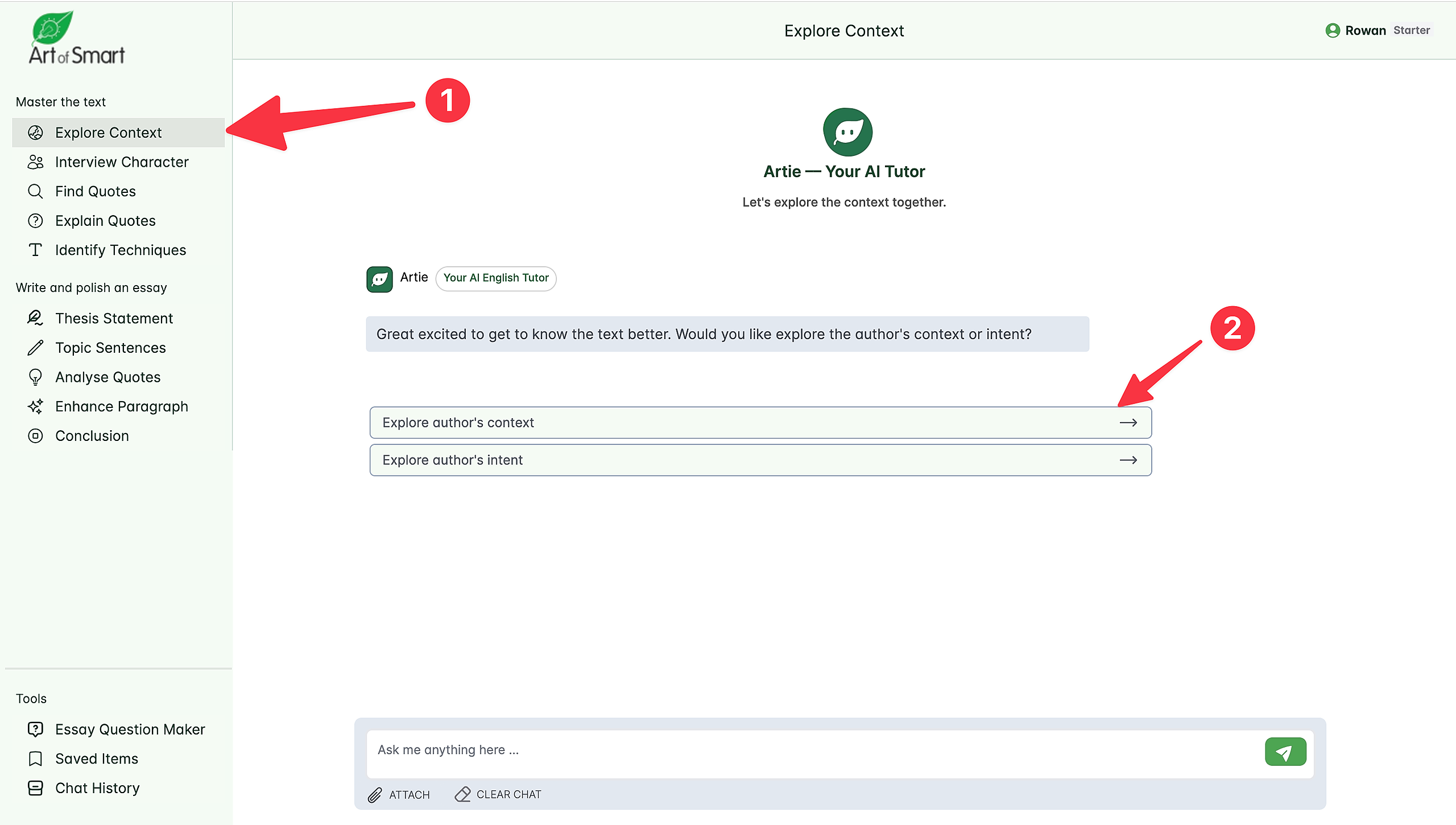
Step #1: Go to 'Explore Context' in the left hand navigation menu.
Step #2: Select 'Explore Author's Context'.
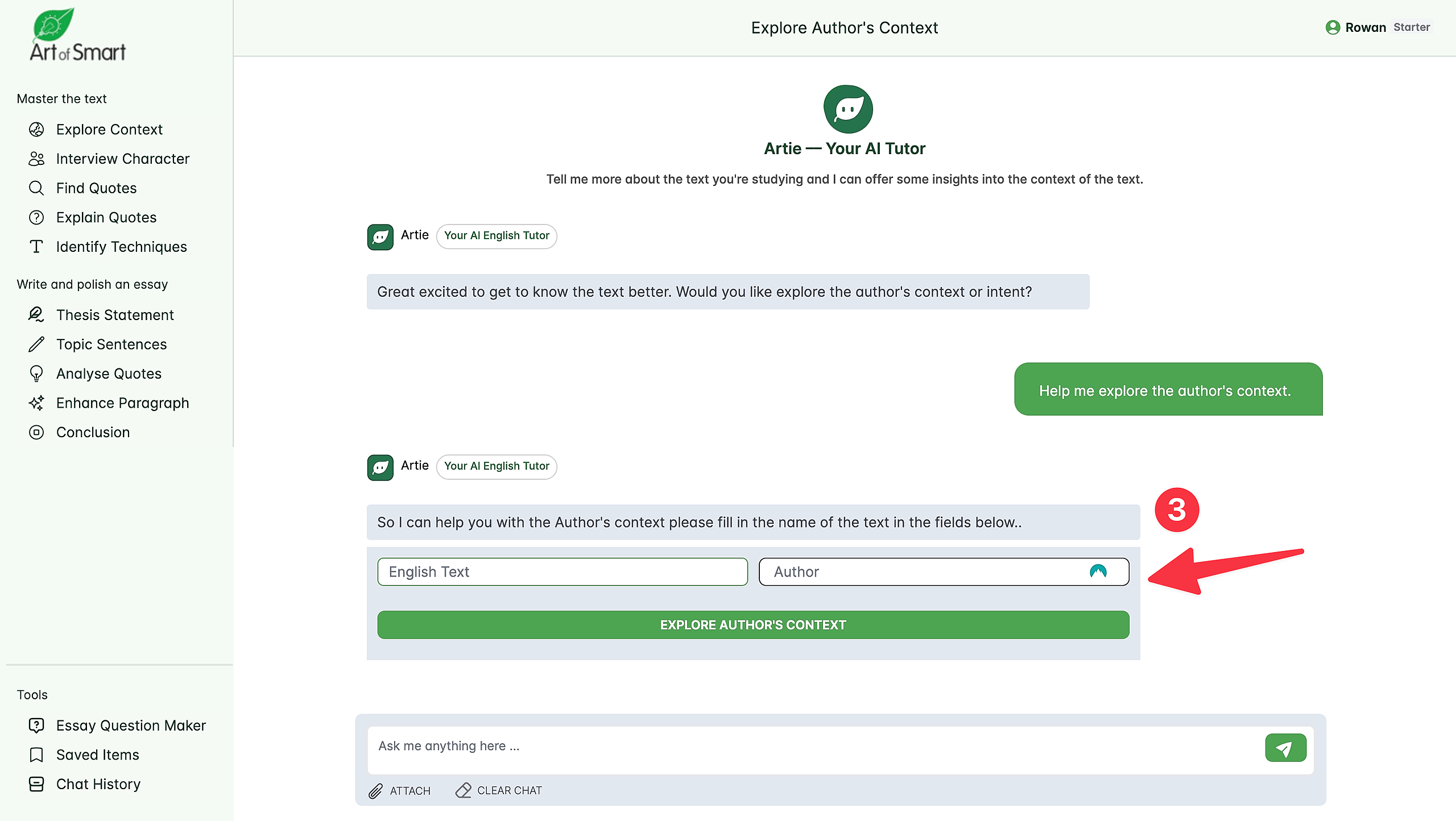
Step #3: Input your Text and Author
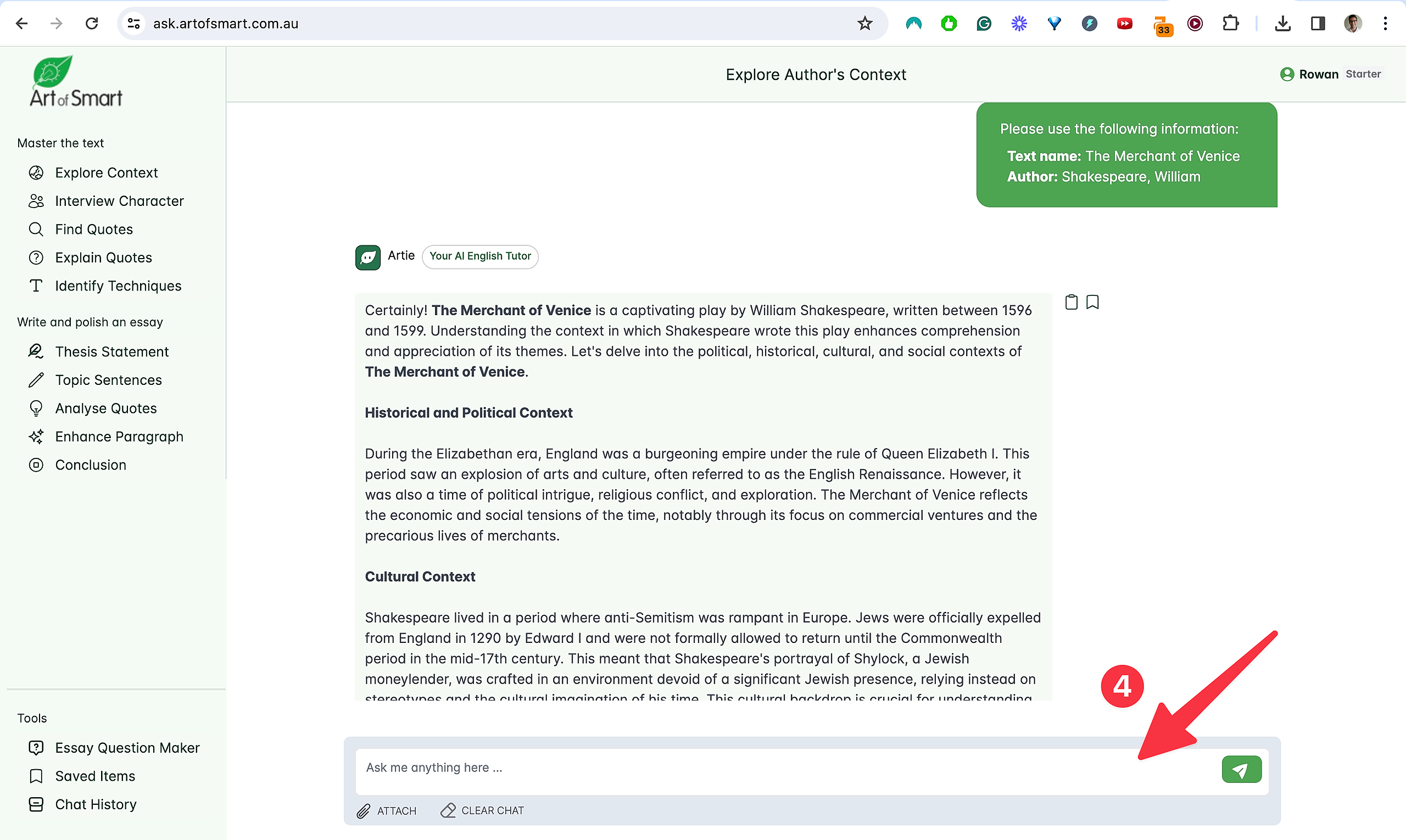
Step #4: Ask Artie any questions you want about the context.

What are you looking for?
Get help straight from our team...
Master Your Text
Last updated on 11 Apr, 2024
Step #1: Go to 'Explore Context' in the left hand navigation menu.
Step #2: Select 'Explore Author's Context'.
Step #3: Input your Text and Author
Step #4: Ask Artie any questions you want about the context.